If you’ve recently bought — or are looking to buy — a WOLED or Tandem WOLED monitor (LG’s 4th gen, quad-stack panel featured in their flagship OLED monitors), you should know about the grey banding issue before you run into it yourself.
Is It Specific to Certain Monitors?
Banding is not specific to one model or even a bad production batch. It’s an inherent flaw of how current Tandem WOLED panels handle near-black brightness, explained by LG Display and ASUS in information shared with TFTCentral.
What Does It Look Like?
Visible, inconsistent, vertical — or at times horizontal — lines or bands. It can be accompanied by the “Dirty Screen Effect” (or DSE). Grey banding is most noticeable on solid dark grey or near-black content like dark browser UIs, games, movies, and especially uniform grey test patterns. Interestingly, it is impossible to see in normal or high-brightness content.
Why Does It Happen?
It gets a little wordy here, so stay with me.
Each OLED subpixel is driven by a tiny current from the display driver’s IC DAC, which is regulated by a transistor on the TFT backplane (the layer of tiny transistors controlling each pixel). At high brightness, the current is large and small manufacturing variances between driving channels are basically nonexistent. Under 1.5% difference, which is invisible to the eye.
But at near black (under ~0.3 nits or so), the driving current is tiny and the same absolute variance becomes a huge swing. Here are LG’s own measurements: ~1.2% variation at 32 grey (~4.8 nits), vs. ~31% variation at 8 grey (~0.26 nits). The variation you see here is banding.
Surely Tandem Makes It Better?
The new Tandem / 4-stack panels make this worse, despite being from a “new and improved” generation. Stacking 4 emissive layers instead of 3 gives you great brightness and efficiency, but it does that by needing less current overall for the same brightness, which in turn pushes the entire near-black operating range even closer to the noise floor of the driving current. LG Display discussed the challenge of stabilising microcurrent control at 4-stack scale during early production.
Secondary Contributors
- TFT backplane variance (since resistances can vary across even a single panel).
- Organic layer deposition inconsistencies (like nozzle precision during manufacturing, basically QC).
- Gamma and tone mapping. Non-linear luminance response, especially at low brightness, can accentuate banding if not properly managed.
- WOLED’s extra white subpixel activating at certain thresholds, causing a small bump in the luminance curve right around where banding is most visible.
Refresh Rate Makes It Worse
Supported by TFTCentral’s oscilloscope testing and independent observations from RTINGS, every refresh cycle causes a tiny luminance drop as the pixel partially discharges. At 60Hz, that dip happens around every ~16.7ms, giving it plenty of recharge time. But at 540Hz, the recharge window is a measly 1.85ms. Less settling time = more deviation from target = more visible banding at near black. This is why running the same panel at a lower refresh rate visibly reduces banding, and why high-refresh Tandem panels show it more than low-refresh ones.
Sample Variance & QC Lottery
Now, not every unit shows this to the same degree. Manufacturing tolerances mean that some panels perform better than others. But that doesn’t make it less of a problem for those who get stung.
// What To Do About It //
- Don’t go looking for banding with test patterns. If you’ve only just purchased it, let it settle in for a while.
- Run pixel refreshes routinely. This has been observed to help in most cases (keyword: most).
- Judge it on real content and not hand picked 95% greyscale in a dark environment. If it bothers you during daily use, RMA. If not…who cares?
- Update your firmware! It sounds odd, but firmware can often fix banding to an extent. Better than nothing.
// TL;DR: Banding is a real, physics level limitation of WOLEDs, made worse by the same efficiency that Tandem WOLED prides itself on, and then made worse again at higher refresh rates. It is improving slowly with manufacturing maturity, but it is not gone completely.
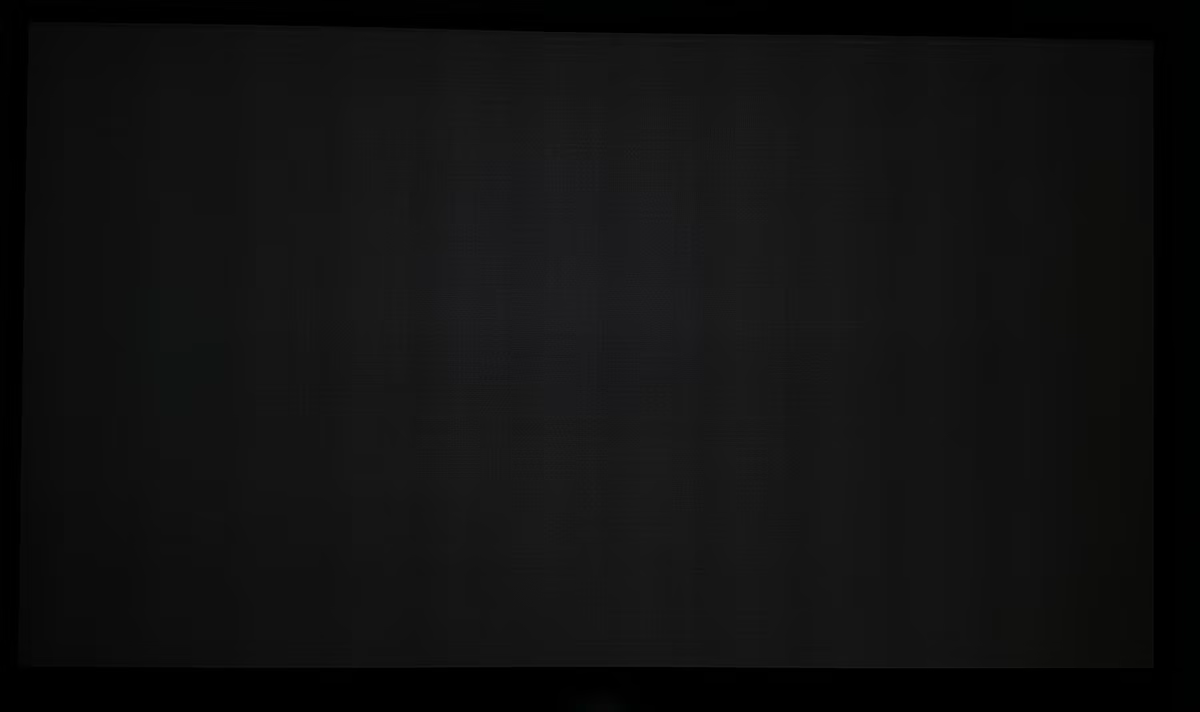
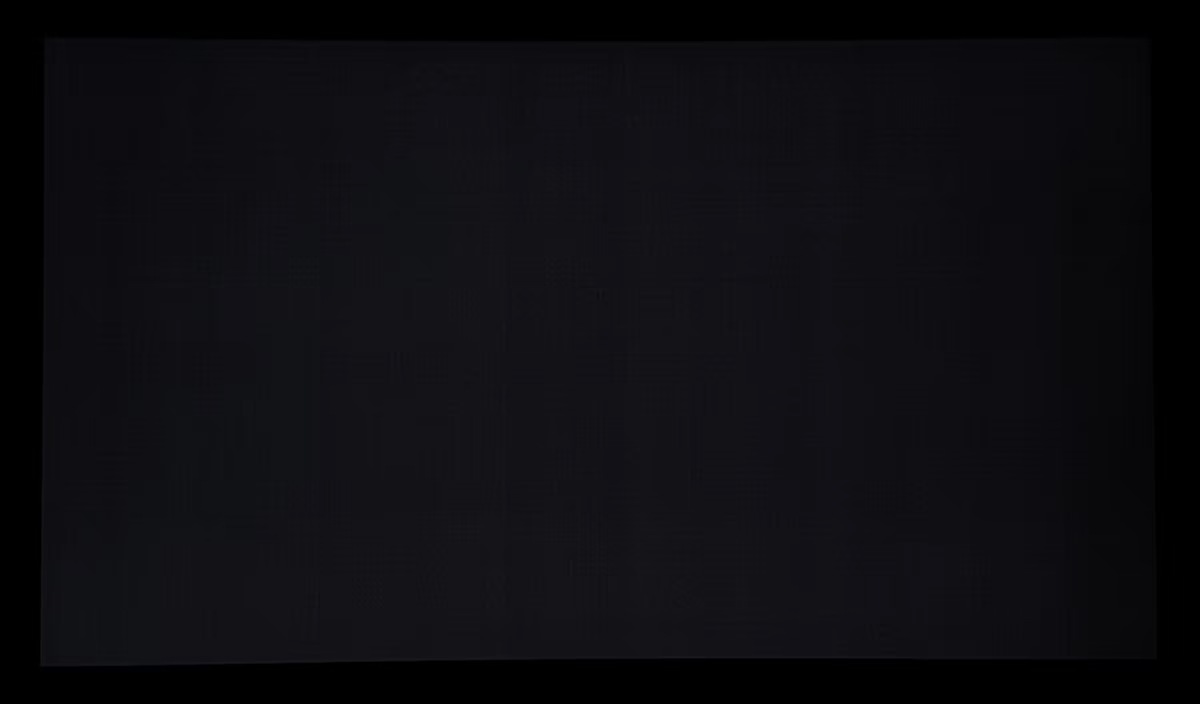
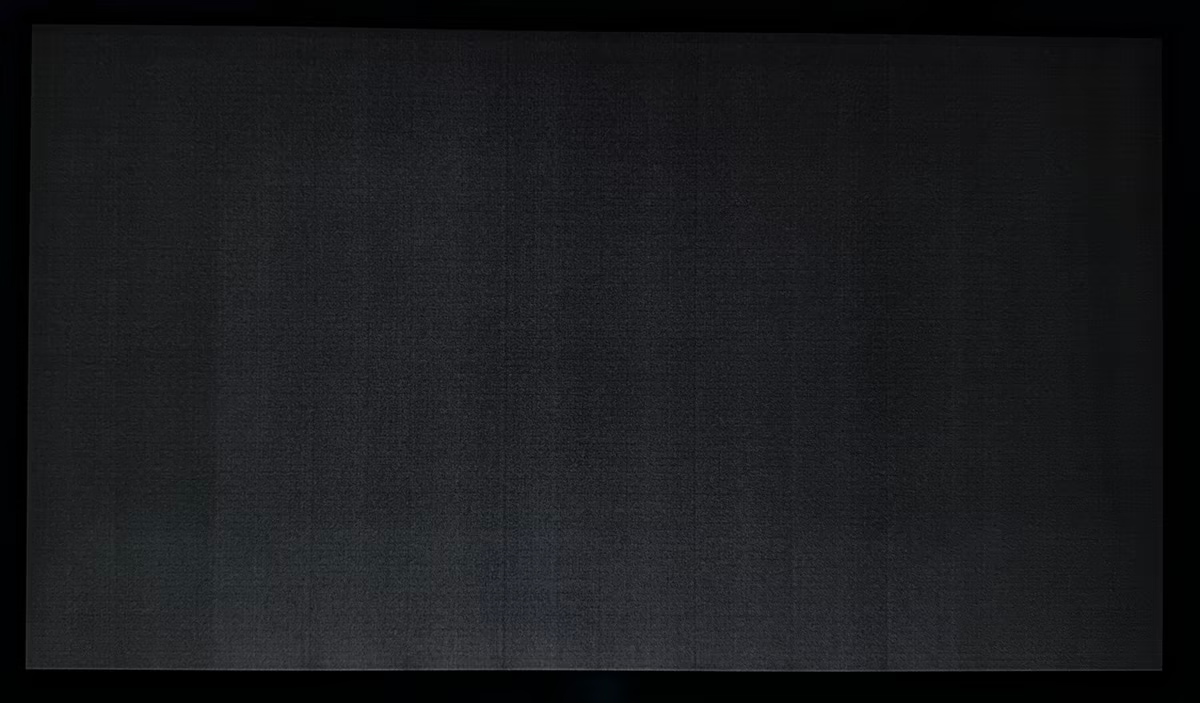
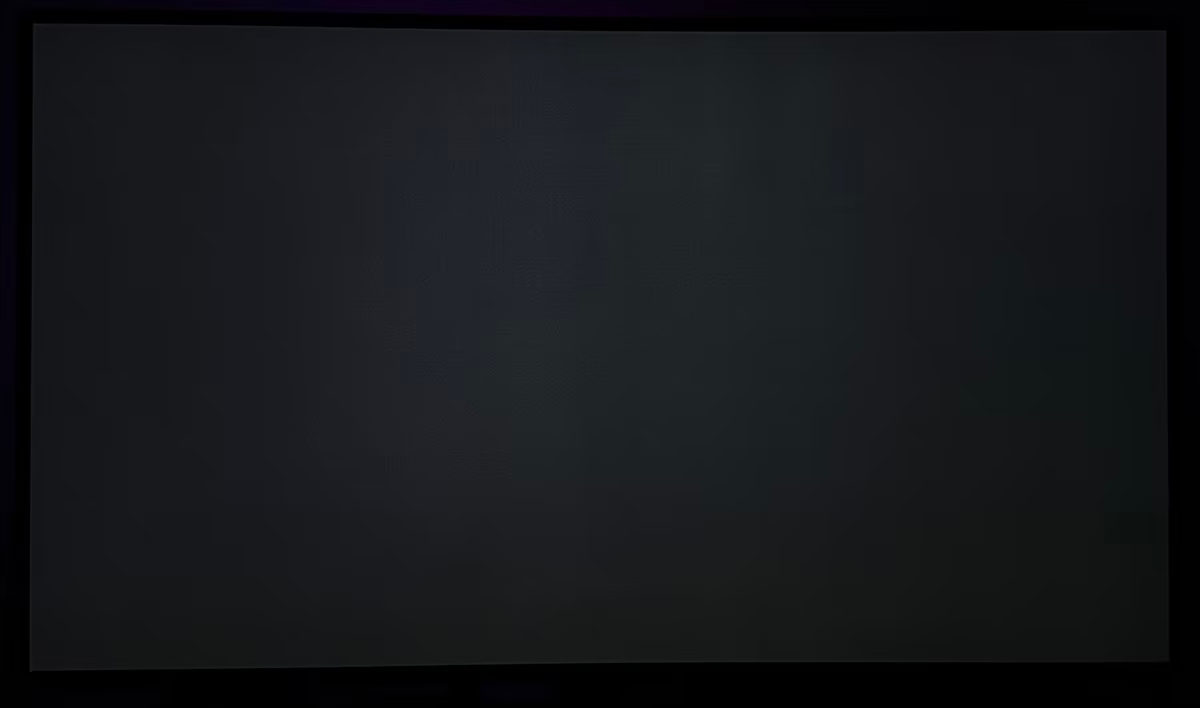
Below are some photos. All credits to TFTCentral for the controlled environment photos. These are all set to 0.2nit luminance levels. The displays respectively are:
- ASUS ROG XG27AQWMG (27” 280Hz 1440p Tandem WOLED, glossy)
- Gigabyte MO27Q28G (27″ 1440p 280Hz Tandem WOLED, matte)
- Asus ROG Swift PG27AQWP-W (27″ 1440p 540Hz Tandem WOLED, glossy)
- Asus ROG Strix XG32UCWMG (240Hz Gen 3 WOLED)
Sources and Further Reading
- TFTCentral — Exploring the “Grey Banding” Issue Affecting Some Tandem WOLED Panels (Simon Baker, 13 February 2026). Includes LG Display/ASUS technical explanations, near-black luminance measurements, oscilloscope traces, and comparative photographs.
- TFTCentral — LG UltraGear Evo 39GX950B Review (Simon Baker, 24 April 2026). Includes additional grey-banding observations at 60Hz, 165Hz and 330Hz.